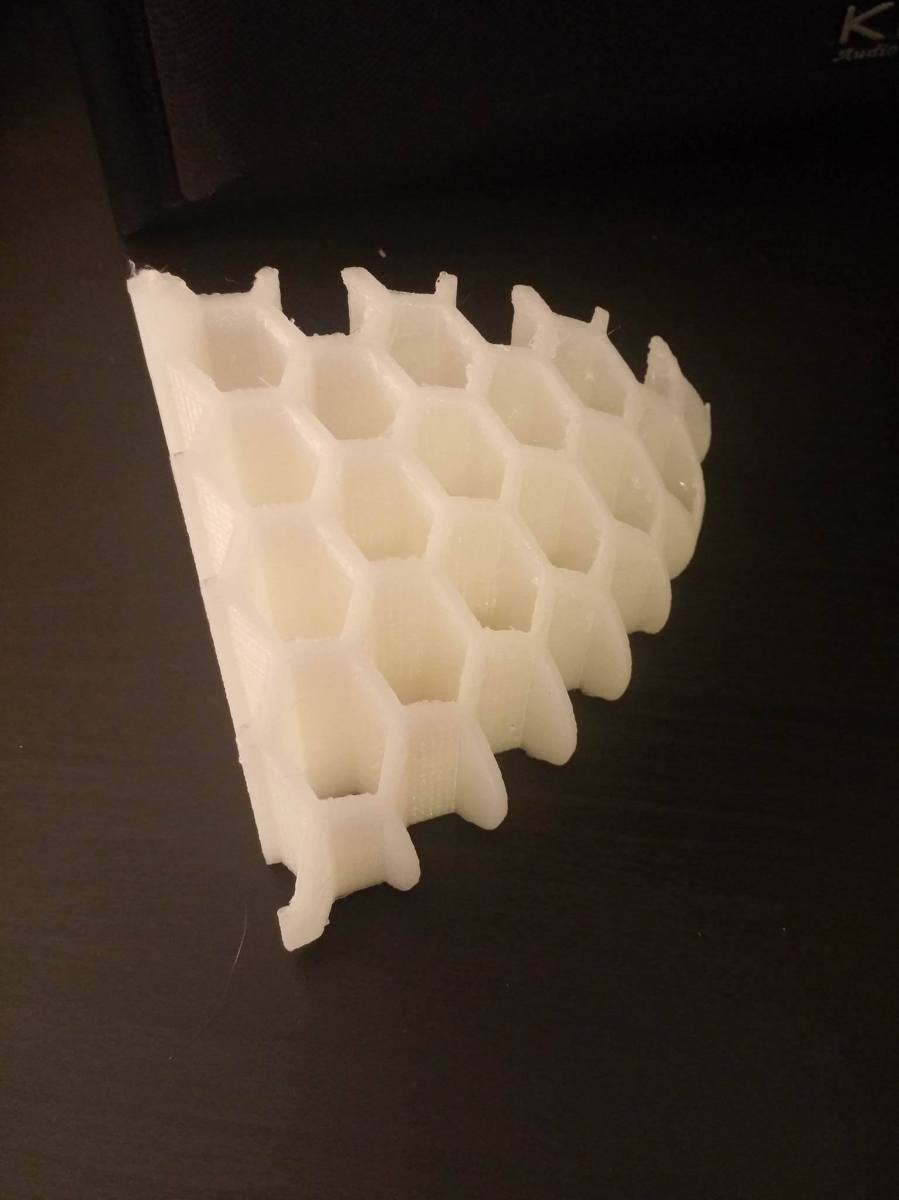
small cura update

Hey guys!  didn’t wanna leave anyone hanging, but I’ve just been dealing with the worst air conditioning problems in my apartment (I will spare you the gory details lol), so I haven’t had the opportunity to do much printing.  However, I did try Cura again.  This time, I tried it with all settings (acceleration, jerk, speed) much lower.  Interestingly enough, it came out a little smoother, but still had massive x and y shifting.  I think the next step is to keep going up the chain of fine tuning and adjust parameters like snap (what comes after jerk.  there is a chain of adjustments starting with speed.  Acceleration is the first derivative of speed.  Jerk is the second derivative of speed.  Snap is the third derivative of speed).  Hopefully, one everything is reduced, I will get smooth movement, because the head seems to be jerking around much too much.  Stay tuned!

John (aka the Mad Printer)

Cura part 3

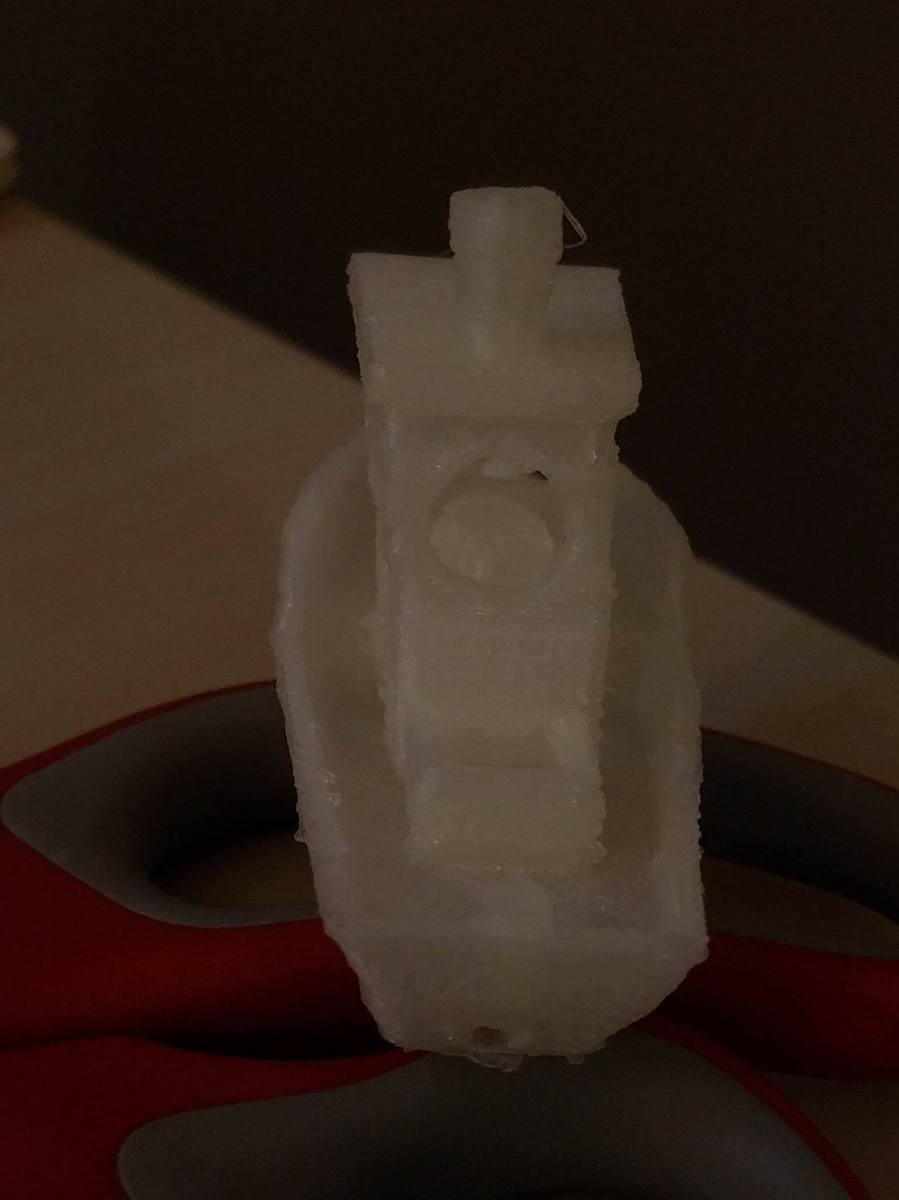
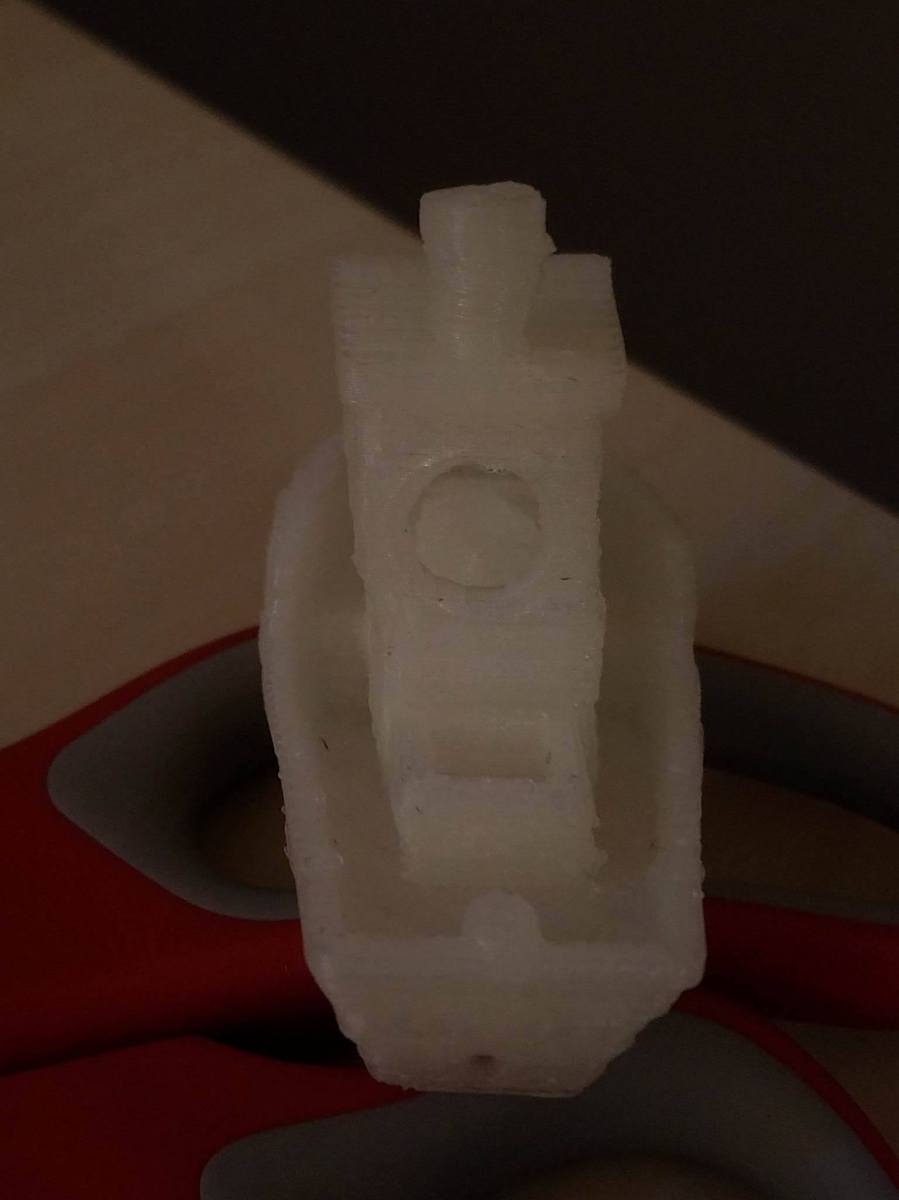
Sorry for the long delay in posting!  I was working with Cura trying to fix the shifting layers that you saw last post.  I embarked on a new adventure: modifying start and stop Gcode (the language that runs 3d printers).  I realized that the shifting was happening because the head was changing direction very fast and jerking about, so I thought maybe I could slow down the acceleration to get the layer shifting under control.  Acceleration actually corresponds to a Gcode instruction called M201 (set max printing acceleration).  I started with the instruction M201 X25 Y25 Z25 (set max acceleration to 25).  It actually helped! The top image is benchy with M201, and the bottom image is Benchy without M201.  The box that’s behind the cabin of the ship is much less skewed on the top picture than on the bottom picture.

benchyAccelYesBenchyAccelNo

My initial thought was “there’s still some shifting, so why don’t I try and reduce the acceleration more to compensate for that”.  When I reduced the acceleration from 25 to 15 and reprinted, I saw no difference, so I think the acceleration is as tuned as it can be.

The next plan is to adjust the Jerk (how fast the head changes direction).  I just have to research what Gcode instruction controls jerk and play with those settings.  Progress is being made with Cura, so stay tuned!

John (aka The Mad Printer)

Cura Experiment continued!

So I was able to get one (somewhat) successful print on my Hyrel using Cura!  I dialed in the same settings I had in Slic3r and the same prime/unprime settings!  However, I had to use a slightly higher feedrate and a slightly higher pulses per nl value than normally required when slicing with Slic3r due to the different movement patterns of Cura.  That was a very minor adjustment though.  For my test piece, I used the very popular 3d Benchy (the jolly 3d printing torture test) (http://www.thingiverse.com/thing:763622See) the below series of pictures for a detail of my results:

The left picture is benchy sliced with Cura, and the right picture is Benchy sliced with Slic3r.  You can see a few things right off the bat!  Namely, The Cura version has a more uniform surface finish and a bit more of a shine to it.  Also, the surface definition appears dramatically enhanced with Cura!

I kept all the settings as close to the same as I could between slic3r and cura to get a true comparison.

Here’s an overall view (again with Cura on the left and Slic3r on the right):

There was only one small problem with the Cura version: the layer shift.  That happened because I had the speeds set a little too high in Cura.  If you try to print too fast on Hyrel printers, the stepper motors skip and cause layer shift, so I have since dialed the speeds down.  I’ll be posting an updated benchy soon!

Stay Tuned

John (aka The Mad Printer)

More Stool Parts and an Experiment!

So, I finally printed part 2 for my stool!  I’ll spare you the pictures since it looks pretty similar to the last one, but it is coming along!  Once I get all the parts printed, I am planning on binding them together with Acrylic cement, specifically this stuff!  For binding PLA, it’s absolutely the strongest stuff around since it seems to melt the surfaces together and fuse them.  It also works nicely as an all around surface finishing technique, the same way acetone does for ABS!

So that’s already all there is to say about the stool for now, but I have been working on another side project (just so I can have a little more blog content!!).  I am not a huge fan of the way Slic3r generates supports, so I have undertaken the project of trying to get my Hyrel working with Cura  (a different G-code generating tool) instead of Slic3r (just to see what will happen!).  The main building block that

I found a really nice tool online actually that lets you create custom machine profiles for Cura: https://quillford.github.io/CuraProfileMaker/.  This site gives you a machine profile for any 3d printer so you can put it into Cura.  So, I created myself a profile, imported it into Cura, programmed in my best guess for PLA settings, and gave it a whirl on 3d benchy: http://www.thingiverse.com/thing:763622 I had a few interesting things happen with the benchy, but I will show you the picture of what printed before I killed it:

benchy

So, now we can visualize what’s wrong with this… first for the good:

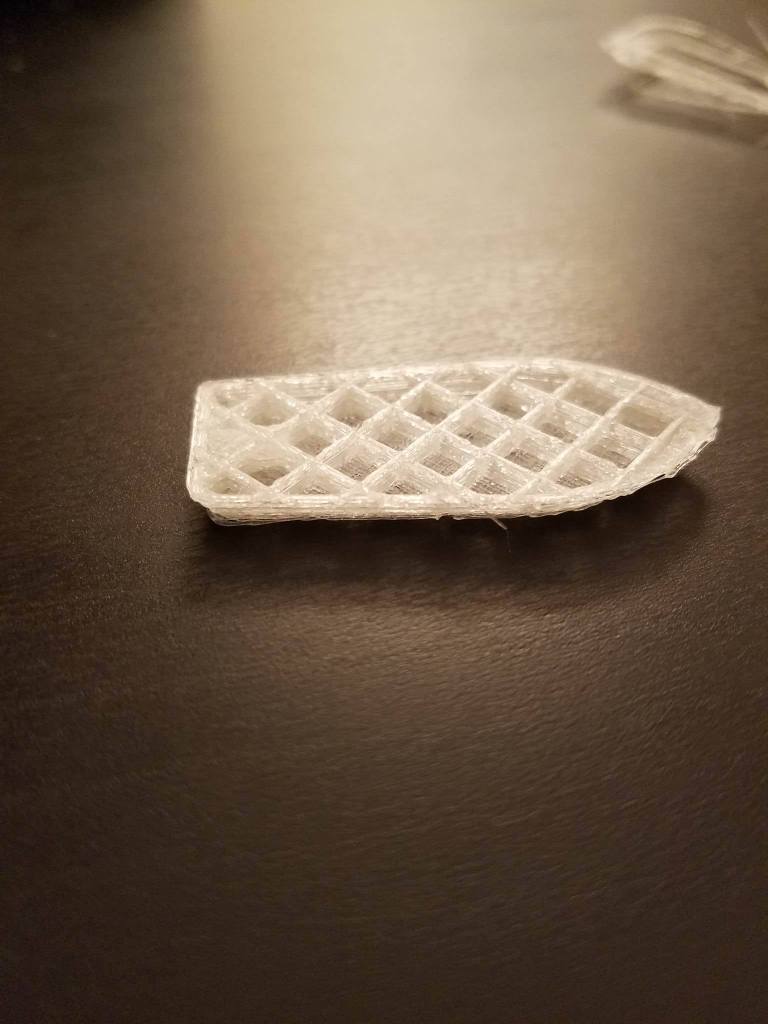
1.) The infill looks very clean!  it seems to have printed very well.
2.) Something actually printed haha…. wasn’t sure what was going to happen!

Now for the things that need fixing (longer list haha):

1.) The perimeters were a little thin, and looked very globby instead of the nice, smooth line you come to expect from 3d printing.  And this was even with the pulses per nanoliter and feedrate cranked up on my Hyrel.  So, I adjusted the flow rate in Cura to 120% instead of the 100% it was at before so it extrudes a little more filament as it travels.

2.) The head movements were very fast and jerky.  I might reduce the speeds a little bit in Cura, or I might see if adjusting other settings improves the print quality enough where it doesn’t matter!  That still remains to be seen and needs some experimenting.

3.) When the print started out, it wasn’t in the center of the platform like I had placed it in Cura.  To get the picture you see in this post, I manually changed the Gcode so it started at the center of the platform.  I think this was due to me checking the “Machine Center is Zero” option on the Cura Profile Maker.  So, I reconfigured the hyrel profile and will try slicing benchy again to see if it makes a difference.

All in all, the results are beginning to look promising!  Just a little bit of tweaking, and I should eventually have it to the point where Cura-generated Gcode will run on my Hyrel printer!

John (aka The Mad Printer)


A Brief Tangent

So, the next part of the stool project will take around 11 hours to print, so I need to start the print earlier than 10:19 pm when I’m writing this post haha.  Because of that, I decided to talk about another interesting experiment I did over the weekend: printing with my Hyrel and PETg filament!  Hyrel had settings for PETg already, so it was fairly easy to dial in.  Printing a sample object produced a very opaque piece, which seemed odd to me because I have a friend (who exclusively uses PETg to print), and he always gets very shiny and translucent surfaces.

My friend suggested that I ramp the temperature up from 205c to around 240c and the results were dramatic!  I got the sheen and translucency my friend had with his prints at 240, so it seems that an increase in temperature translates to an increase in transparency of PETG.  Here are the results of the two experiments (205c print on the left and 240c print on the right):

petg

It’s definitely clear that the 240c print is shinier than the 205c print.  However, I think 240c was a little too high of a printing temp.  I was getting some oozing when the extruder moved between sides of the wall, so I think I have to bump it down to 230c.  I’m hoping that will clear up the ooze problems.

So, back to the stool, I’ll start the next piece soon!  And then I can talk to you about the process of joining two pieces of PLA together.  Stay Tuned!

John (aka The Mad Printer)


It doesn’t look like a lot, but…

Here’s the first part of the stool!

stoolChunk

Turns out I had to chop it up into even smaller parts!  There are now 11 parts, and each part will take about 7-10 hours to print out, so this should be interesting to see what happens!  I’ll tell you one thing, adhering parts to glass with hairspray really works.  I had to work really hard to get the print off the bed, so that’s good it stuck so well.  I will be taking a vacation for around 4 days, so stay tuned after I get back for the rest of the build!

John (aka the Mad Printer)

Preparing the Model for Printing

Since the stool model for my project was meant to be done on a makerbot z18, which is significantly bigger than my Hyrel.  So, like I said in the previous post, I had to cut it into pieces!  The best software for this (in my opinion) is Netfabb.  Netfabb is so easy to cut stl files into multiple parts because the options are right on the interface when it opens:

In the right panel, there is a box labeled “Cuts”.  This lets you drag the sliders for the respective axes (x, y, z), and dragging these sliders causes a colored line to sweep across the part.  That colored line shows you where the software will cut your part!  Once you have arranged your cut lines the way you want (using the sliders), you click “Execute cut”, and it will cut the files for you.  Then, right clicking on each section will allow you to export it to a variety of different file formats (STL being one of them!!).

In addition to cutting parts, Netfabb is really good for moving, scaling, and repairing parts.  It’ll do a lot of different repairs, but the one that I have used the most is the feature that closes unwanted holes in the mesh.  This is especially useful if you are trying to work with the result of a 3d scan that has some data missing.

In order for the stool to fit on the hyrel, I had to cut the top into 4 sections, and the spreader piece at the bottom into 3 sections.  According to my printer, once sliced, each quarter of the top will take approximately 20 hours so stay tuned for pictures of the first piece in a few days when the next post comes around!

John (aka The Mad Printer)

My Next Project!

Sorry it took me so long to write the next post… I was having trouble deciding what project to do…  but I finally settled on something that will be an interesting project for my Hyrel: 3d printed outdoor stools!  I’m going to make a stool using this build from thingiverse: http://www.thingiverse.com/thing:763605, but since the stool top is z-18 sized, I’m going to slice it up into 4 quarters to print.

However, there is probably one question someone reading this is thinking in their head: Won’t it not be as strong if you cut it into 4 sections and glue it together?  Honestly, my plan is to use acrylic glue as the bonding agent and PLA as my printing material since acrylic glue seems to fuse the material together in a very strong bond!  I don’t know exactly how it’s going to work out, but we’ll see!  That’s what this blog is about (trying different things and the logging my progress, even if they fail horribly!).  Stay tuned for progress on the stool and pics of it printing!

John (aka The Mad Printer)

Dialing in Material Settings

So for a quick recap, in order to get nice, smooth walls on your Hyrel 3d print, you have to keep in mind pulses per nanoliter, feed rate, prime and unprime settings (steps, speed of steps, time), fan settings, flow rate, head temperature, and bed temperature.

In order to demonstrate how all these settings work in concert, I worked to dial in a filament I had never used before: Colorfab’s ngen copolyester filament.  it’s an interesting filament that prints well right around 220c with a 58c-ish heated bed and 20% fan!  After setting head temp, bed temp, and fan speed, the next thing I usually examine is the pulses per nanoliter and feed rate settings.

When the filament comes out of the head of the Hyrel onto the glass bed, it should be a solid line that doesn’t look too fat, like you would expect to see on most 3d printers.  However, if the pulses and feedrate are off, then you will either see

  1. A dotted line where the extruder is dropping little bits of plastic along the path
  2. A nice solid line that looks incredibly fat, like there is too much material being extruded.

For example, here’s a great gif that displays a printer printing good, solid lines of plastic:

It turned out that the Co-Polyester filament liked .89 pulses per nanoliter and a feedrate of .75!

Now, I turned my attention to the prime and unprime settings!  These settings allowed me to make sure the walls of my test print didn’t have any blisters or bumps.  If the unprime settings are set too high relative to the prime settings, the extruder will start to underextrude like this:
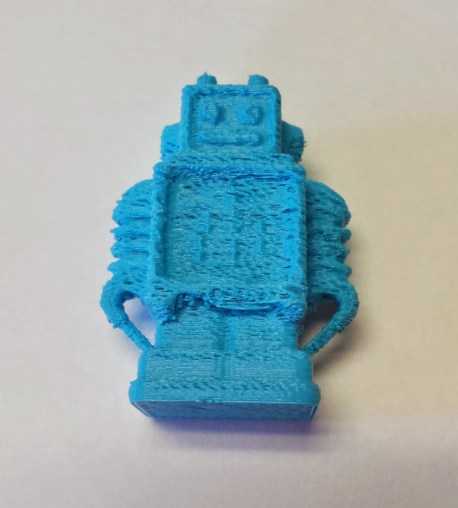
Also, if the prime setting is too high relative to the unprime setting, the printer will overextrude like so:

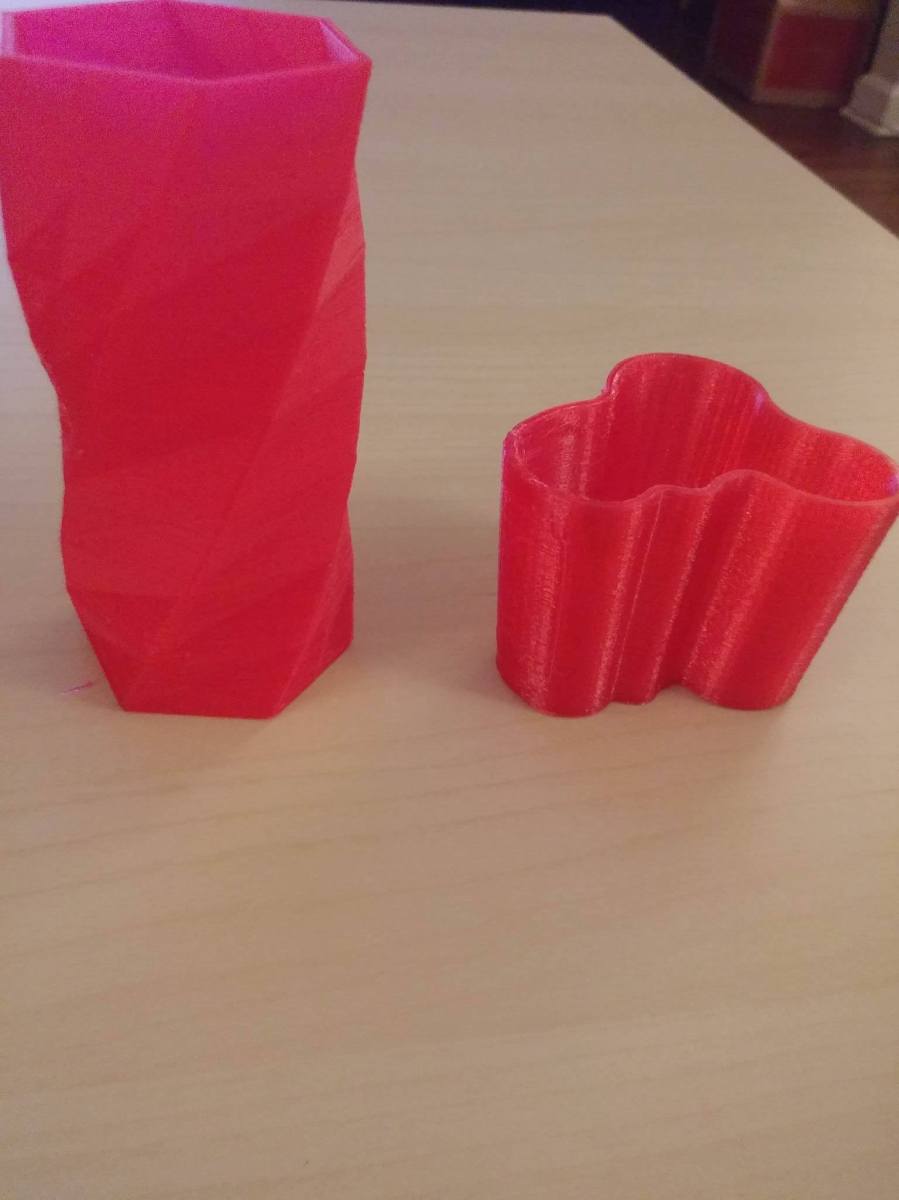
To see underextrusion or overextrusion, you have to watch the surface of the print very carefully and adjust the correct settings based on what is happening!  The Ngen filament ended up liking its prime settings at 120 steps, 10,000 speed, and 33 ms of pause time.  The unprime settings for the Ngen filament ended up being 110 steps, 10,000 speed, and 20 ms of pause time.  After fixing all that, I got a decently good result:
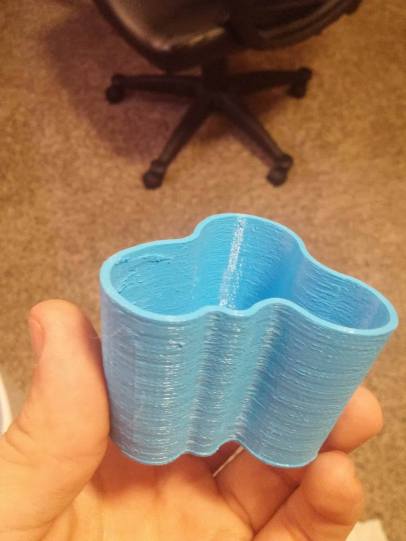
vase

The surface finish wasn’t quite what I wanted though, so I figured out I had to drop the flow rate of the material in slic3r to .9 from 1.0!  That made a world of difference for sure.

Edit (7/7/16): upon running some more tests, it doesn’t seem like the flow rate of the material in slic3r did too much…. I’m still evaluating what changed to make the print better on the second run

So, that’s really all there is to dialing in filaments! More to come from my Hyrel printer soon.

John (aka the Mad Printer)